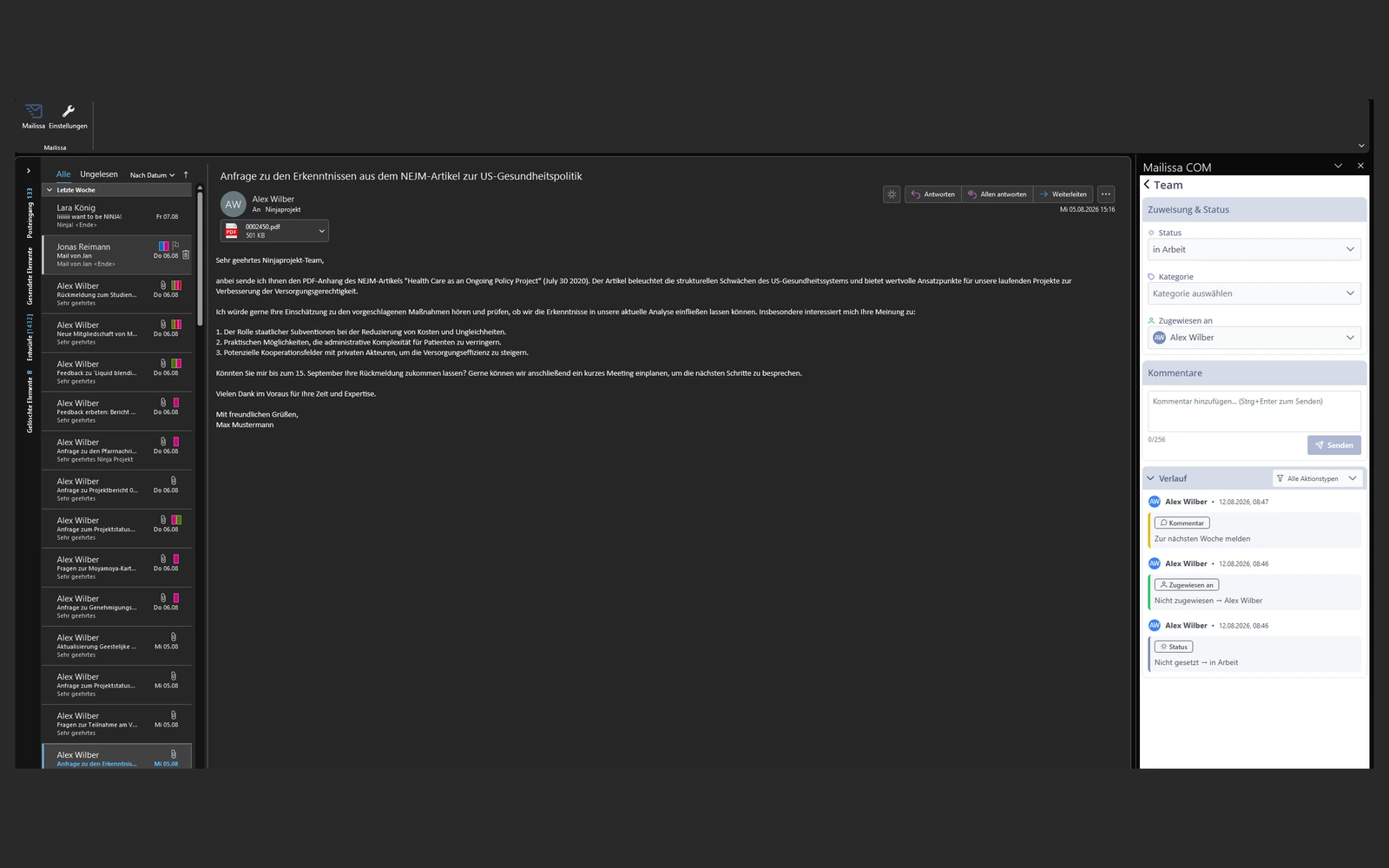
Zuweisung mit einem Klick
Jede E-Mail erhält sofort einen Besitzer, sodass nichts übersehen wird.
Erleben Sie schnellere und sicherere Workflows für gemeinsam genutzte Posteingänge mit Mailissa. Verwandeln Sie Ihre E-Mail-Zusammenarbeit in einen optimierten, effizienten Prozess, direkt in Outlook.
Das Problem
Der versteckte Tagesaufwand: 30+ Minuten pro Mitarbeitenden, jeden Tag im Posteingang verloren.
Ermöglichen Sie Ihrem Team, intelligenter zu arbeiten, direkt in Outlook. Von der Verwaltung gemeinsam genutzter Postfächer über die Integration von Unternehmenstools bis hin zum Zugriff auf sichere KI-Unterstützung sorgt Mailissa dafür, dass Ihre Arbeitsabläufe optimiert, sicher und zentral verwaltet werden.
So funktioniert es
Schritt 01
Wir besprechen Anzahl Postfächer, Sitzplätze und Rollout, anschließend startet die Pilotphase mit Onboarding.
Schritt 02
Fügen Sie E-Mail-Adressen oder eine Azure-AD-Gruppe ein und klicken Sie auf Einladen.
Schritt 03
Installation aus Microsoft AppSource oder per IT-Rollout. Anmeldung mit bestehenden Microsoft-365-Logins, SSO schützt die Daten.
Was drin ist
Jede E-Mail erhält sofort einen Besitzer, sodass nichts übersehen wird.
Arbeiten Sie direkt in Outlook zusammen, ohne endlose Antworten auf alle Threads.
Sehen Sie den Fortschritt auf einen Blick und priorisieren Sie, was am wichtigsten ist.
Durchsuchen Sie den gesamten Audit-Trail nach Absender, Tag oder Datum für eine mühelose Übergabe.
Teams werden über bestehende Azure-AD-Gruppen verwaltet, keine doppelte Nutzerpflege.
Anmeldung mit bestehenden Microsoft-365-Zugangsdaten. Single Sign-On schützt Daten und vereinfacht den Rollout.
Datenschutz & Betrieb
Mailissa ist sowohl für DACH-Unternehmen mit 50-500 Mitarbeitenden als auch für Großunternehmen und Behörden in regulierten Branchen ausgelegt. Für maximale Datenkontrolle steht eine On-Premise-Variante mit lokalen KI-Frameworks zur Verfügung.
Häufige Fragen
Ja. Mailissa setzt direkt auf Microsoft-365-Sammel-Postfächern auf, kein paralleles Postfach, kein Datenexport.
Über eine bestehende Azure-AD-Gruppe oder per Einladung im Dashboard. Anmeldung erfolgt per SSO mit Microsoft-365-Zugangsdaten.
Ja. Mailissa ist sowohl für den Mittelstand (50-500 Mitarbeitende) als auch für Großunternehmen und Behörden in regulierten Branchen ausgelegt, überall dort, wo Skalierbarkeit, Security und stabiler Betrieb zählen.
Wahlweise in europäischer SaaS-Infrastruktur oder vollständig in Ihrer eigenen IT-Umgebung On-Premise.