SharePoint
Anhänge und Mail-Inhalte direkt in die richtige SharePoint-Bibliothek ablegen.
Mailissa verbindet E-Mails und Anhänge aus Outlook mit wichtigen Anwendungen. Machen Sie das Kopieren und Einfügen, sowie das Wechseln zwischen Tabs überflüssig, sodass Projektdaten sofort in der richtigen Anwendung landen.
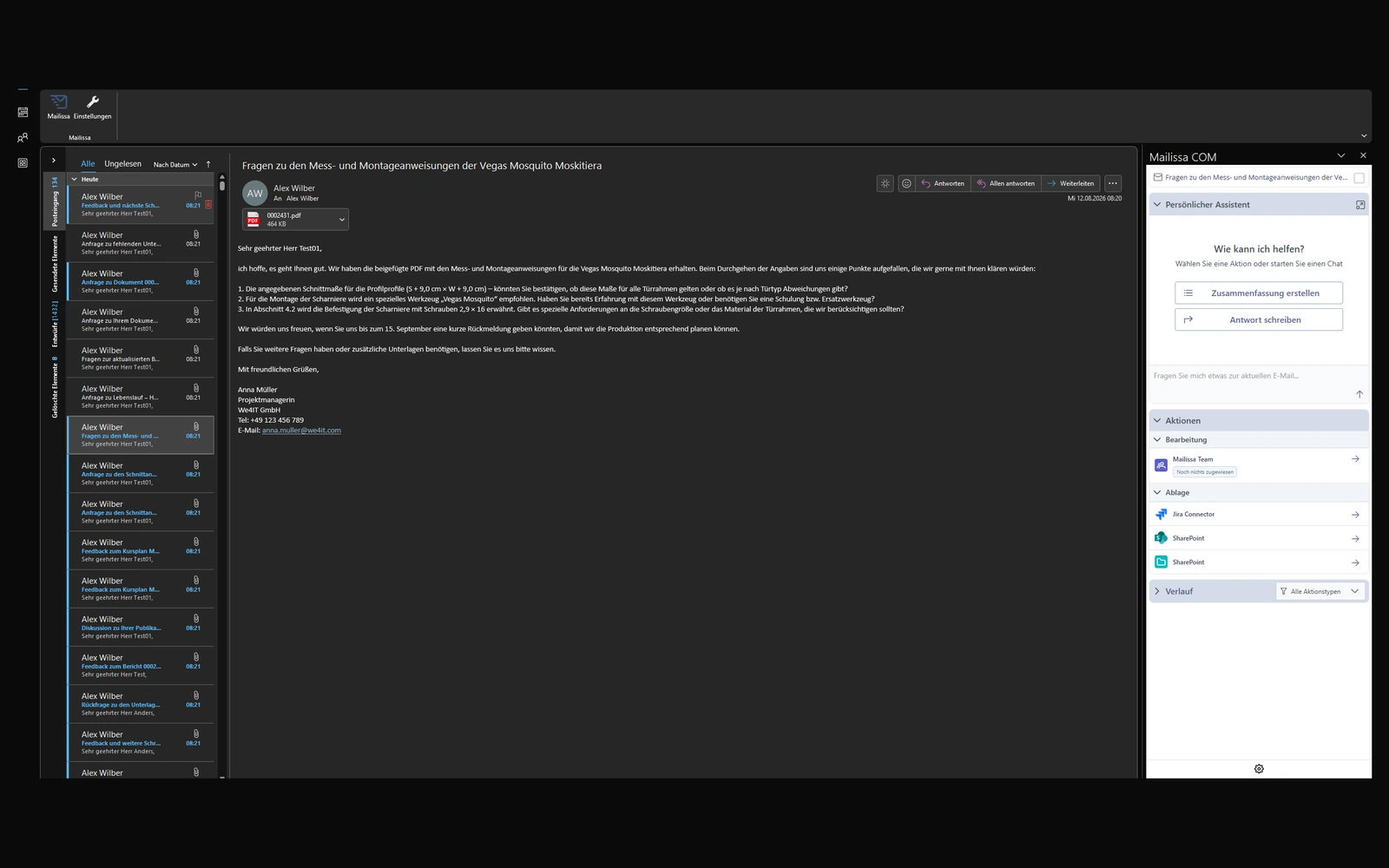
Das Problem
Der versteckte Tagesaufwand: 30+ Minuten pro Mitarbeitenden, jeden Tag im Posteingang verloren.
Schluss mit Copy-Paste, Tab-Wechseln und Anhängen, die in Netzlaufwerken versickern. Mailissa übergibt E-Mails samt Anhängen direkt in das Zielsystem, mit KI-gestützten Transfervorschlägen und sicherem Microsoft-Login.
So funktioniert es
Schritt 01
Mailissa öffnet sich direkt im Outlook-Reading-Pane. KI-gestützte Vorschläge erkennen automatisch das passende Zielsystem.
Schritt 02
SharePoint, Salesforce, Jira, Confluence, Teams, Zendesk, Trello, wählen Sie aus den verbundenen Anwendungen Ihres Teams.
Schritt 03
Mail und Anhänge landen sofort in der richtigen App. Login mit Ihren Microsoft-Zugangsdaten, DSGVO-konforme Verarbeitung.
Was drin ist
Anhänge und Mail-Inhalte direkt in die richtige SharePoint-Bibliothek ablegen.
E-Mails als Nachrichten in Channels posten oder als Aufgabe weiterleiten.
Aus E-Mails Aufgaben erstellen, mit Kontext, Fälligkeit und Anhängen.
E-Mails als Aktivitäten an Kontakte, Leads oder Opportunities anhängen.
Tickets aus E-Mails erstellen oder Mail-Verläufe an bestehende Issues anhängen.
Dokumentation aus E-Mail-Inhalten anlegen, ohne Outlook zu verlassen.
Helpdesk-Tickets direkt aus dem Posteingang erzeugen oder ergänzen.
E-Mails an Kanäle oder Boards weitergeben, strukturiert statt weitergeleitet.
Datei-Ablage und Legacy-Systeme im selben Workflow.
Datenschutz & Betrieb
Mailissa nutzt Ihre bestehenden Microsoft-Zugangsdaten und verarbeitet Daten ausschließlich für die Übergabe. Auf Wunsch komplett On-Premise in Ihrer eigenen Infrastruktur.
Häufige Fragen
Standardmäßig: SharePoint, Microsoft Teams, Planner, To-Do, OneDrive, Salesforce, Jira, Jira Service Manager, Confluence, Zendesk, Freshdesk, Zoho Desk, Slack, Trello und HCL Notes. Weitere Integrationen sind über bereitgestellte Schnittstellen oder als individuelle Connectoren möglich.
Ja. Individuelle Connectoren können über bereitgestellte Schnittstellen und Dokumentation entwickelt werden. Auf Wunsch realisieren wir die Integration vollständig für Sie.
Ja. Mailissa läuft als Add-in für Microsoft Outlook in beiden Umgebungen. Andere E-Mail-Clients wie Gmail werden derzeit nicht unterstützt.
In europäischer SaaS-Infrastruktur oder vollständig in Ihrer eigenen IT-Umgebung On-Premise. Sie wählen das Bereitstellungsmodell.